Skip to content
Introduction
Choosing the right UV printing machine is an important investment decision for printing companies, manufacturers, advertising businesses, and customized product suppliers. The right equipment can help improve print quality, increase production efficiency, expand material compatibility, and reduce operating costs. However, with different machine configurations, printhead technologies, curing systems, and automation options available, selecting the most suitable model requires careful evaluation.
A UV printing machine uses ultraviolet light to cure specially formulated ink during the printing process. This technology supports printing on a wide range of compatible materials, including acrylic, glass, wood, metal, plastics, and selected flexible media. Depending on the application, businesses can choose from flatbed, roll-to-roll, hybrid, and cylindrical UV printing machines.
For B2B buyers, the best machine is not necessarily the one with the highest printing speed or the lowest purchase price. Instead, it should match the company’s production requirements, target applications, available budget, and long-term development plans.
Identify Your Business Applications
Before comparing machine specifications, determine what products you intend to print and which industries you serve. Different applications require different printing formats, ink configurations, and production capabilities.
For example, advertising companies may need to print signs, display panels, acrylic boards, and promotional materials. Manufacturers of customized products may require equipment for printing logos, patterns, and text directly onto finished items. Packaging companies may prioritize consistent color output, repeatability, and efficient handling of production orders.
Understanding your main applications helps narrow the range of suitable machines and prevents you from paying for features that your business rarely uses.
You should also consider whether your production involves one standard product or multiple product categories. Businesses handling frequent design changes or customized orders may benefit from a flexible digital printing system, while operations focused on large volumes of similar products may prioritize automation and throughput.
Choose the Right Type of UV Printing Machine
UV printing machines are available in several configurations. Each type is designed for specific substrates and production workflows.
UV Flatbed Printing Machine
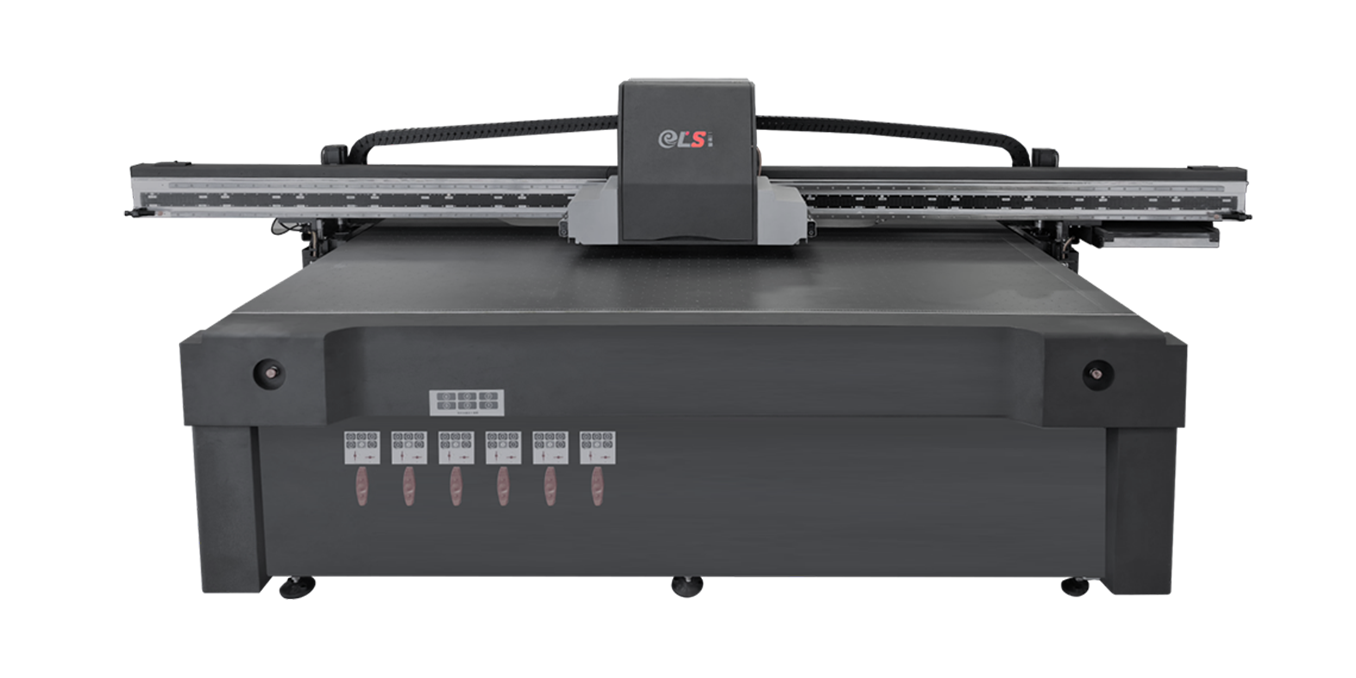
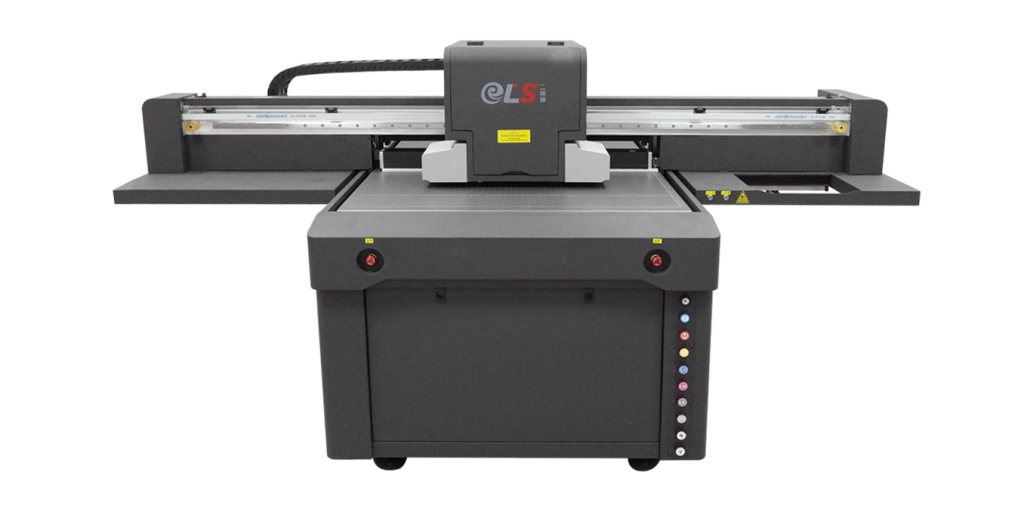
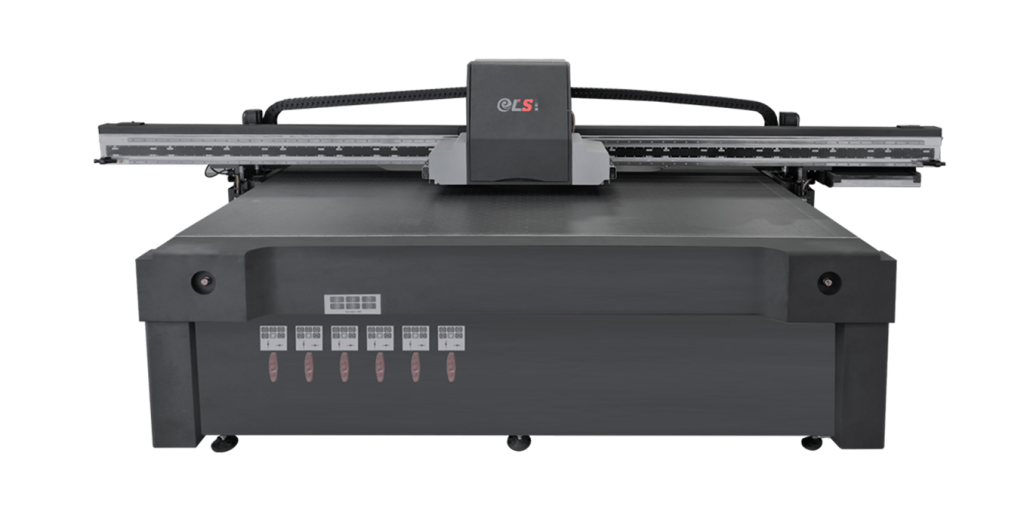
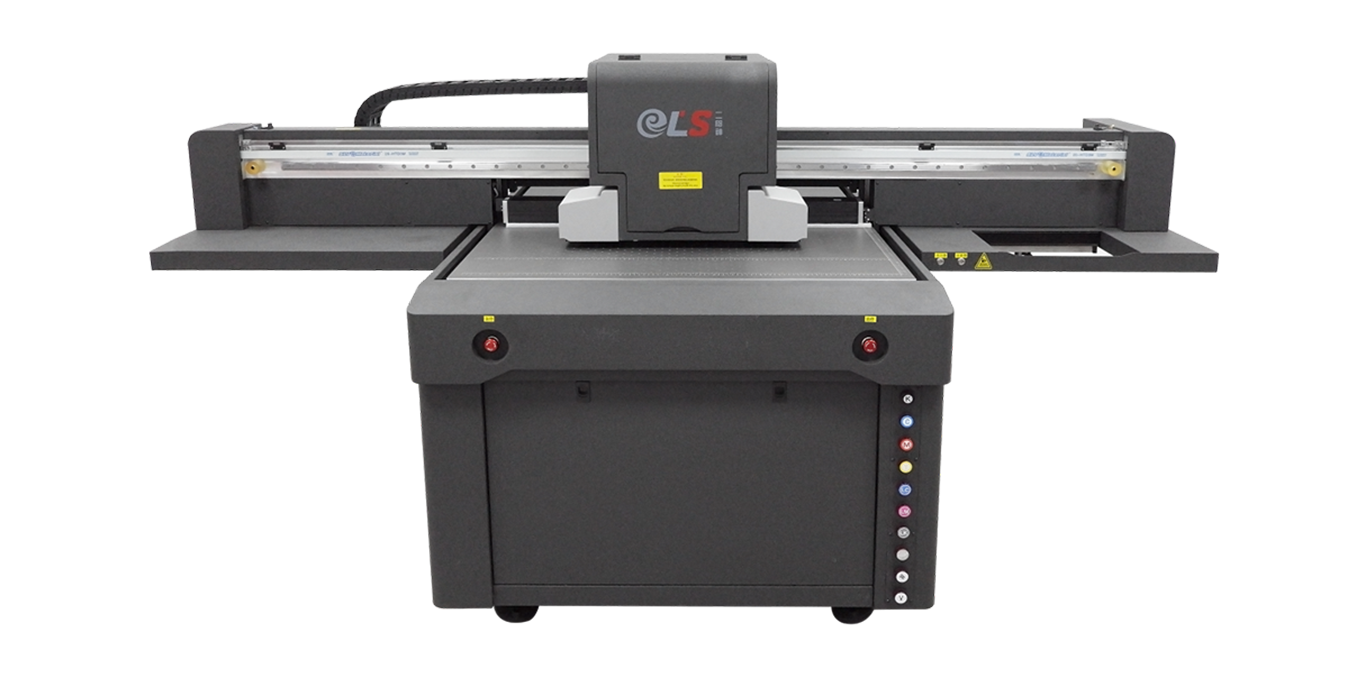
A UV flatbed printing machine prints directly onto rigid or relatively flat materials placed on a printing table. Common applications include acrylic signage, glass panels, wooden boards, metal plates, and promotional products.
Flatbed printers are suitable for businesses that handle different rigid substrates or need flexibility when printing customized items. When selecting a model, check the maximum printing area, material thickness, table capacity, and loading method.
UV Roll-to-Roll Printing Machine
A roll-to-roll UV printing machine is designed for continuous printing on compatible flexible materials, such as films, banners, and selected media used for graphics and signage.
This configuration is worth considering when your business processes long rolls of material or produces repeated graphics in larger quantities. Important factors include printing width, feeding stability, tension control, and the machine’s ability to maintain consistent image quality throughout a production run.
UV Hybrid Printing Machine
A hybrid UV printing machine combines capabilities for printing on flexible roll media and certain rigid substrates. It can be useful for businesses serving multiple markets that need to switch between different material formats.
However, hybrid equipment may involve additional setup requirements and a higher initial investment. Before purchasing, evaluate how frequently you will use each printing mode and whether the added flexibility justifies the cost.
UV Cylindrical Printing Machine
A cylindrical UV printing machine is designed for compatible round or curved objects, including bottles, tubes, and selected promotional products. Depending on the model, it may use rotary fixtures or specialized motion systems to maintain accurate printing around the product surface.
If your business specializes in customized drinkware, packaging containers, or branded cylindrical products, confirm the supported diameters, object lengths, surface shapes, and loading requirements before making a decision.
Evaluate Print Quality and Resolution
Print quality directly affects the appearance and commercial value of the finished product. Businesses producing detailed graphics, small text, product logos, or high-end promotional materials should pay particular attention to image sharpness, color consistency, and printing accuracy.
Resolution is one useful specification, but it should not be the only factor in your evaluation. Actual print quality also depends on printhead performance, ink characteristics, color management, substrate properties, and the machine’s mechanical stability.
Ask suppliers to provide sample prints using your actual artwork and materials. Examine fine details, gradients, solid color areas, small text, and image edges under realistic viewing conditions.
For applications requiring white ink or decorative effects, check whether the machine supports the necessary ink channels and printing modes. Some applications may also benefit from clear varnish, layered printing, or other specialized configurations.
Match Printing Speed to Your Production Volume
Printing speed is another important consideration when selecting a UV printing machine. However, advertised maximum speed may not reflect the actual throughput achieved during daily production.
Production speed depends on several factors, including print resolution, number of print passes, ink coverage, curing settings, substrate handling, and the time required for loading and unloading materials.
For small businesses producing personalized items or short-run orders, a flexible machine with reliable output may be more valuable than the fastest available model. For manufacturers processing large quantities of similar products, higher throughput, automated material handling, and reduced setup time may provide greater benefits.
Estimate your average daily and monthly production volume before choosing a machine. Ask suppliers for realistic throughput figures under conditions similar to your intended applications.
It is also important to consider future demand. A machine that meets your current needs but cannot accommodate expected growth may require an expensive replacement sooner than anticipated.
Check Material Compatibility and Printing Thickness
One of the main advantages of UV printing technology is its ability to print on a variety of compatible substrates. Nevertheless, not every UV printing machine can handle every material or product shape.
Common materials include acrylic, glass, wood, metal, plastics, paper-based materials, and selected flexible films. Compatibility depends on the ink formulation, surface properties, machine design, and curing conditions.
Before purchasing, create a list of the materials you use most frequently. Confirm the maximum substrate dimensions, thickness, weight, and surface characteristics supported by the equipment.
Material preparation is equally important. Some surfaces may require cleaning, flame treatment, plasma treatment, or a suitable primer to improve ink adhesion. Transparent or dark substrates may require white ink to achieve the desired opacity and color appearance.
If your business intends to print on several material types, request practical testing for each major substrate rather than assuming that compatibility with one material guarantees the same results with another.
Understand UV Ink and Curing Technology
The ink system and UV curing unit have a direct influence on print quality, production efficiency, and the durability of the finished product.
UV-curable inks harden when exposed to suitable ultraviolet light. Many modern machines use UV LED curing systems, which can offer rapid curing, relatively low heat output, and reduced lamp maintenance compared with some conventional UV lamp technologies.
When comparing machines, consider ink availability, cost per printed area, color performance, adhesion, and resistance to abrasion or environmental exposure. The appropriate ink depends on the substrate and the product’s intended use.
You should also confirm whether the curing system is compatible with the selected ink and production speed. Insufficient curing can affect surface performance, while excessive heat exposure may be undesirable for certain sensitive materials.
For products intended for outdoor applications or demanding industrial environments, request application-specific durability testing. Do not rely solely on general claims about scratch resistance, weather resistance, or ink adhesion.
Compare Automation and Ease of Operation
Automation can help businesses reduce manual labor, improve repeatability, and increase production efficiency. However, the required level of automation depends on production volume and product complexity.
Basic systems may require operators to position each item manually, while more advanced machines may offer automatic feeding, material positioning, height detection, or integration with production workflows.
For high-volume applications, automated handling can reduce the time required for repetitive tasks. For customized products with frequent design changes, easy job setup and intuitive software may be more important.
When evaluating automation, consider the following questions:
Can the machine maintain accurate positioning across repeated jobs?
How long does it take to change materials or switch between print tasks?
Can operators manage jobs efficiently through the control software?
Does the machine support the fixtures or feeding systems required by your products?
What level of training is needed for daily operation and maintenance?
A machine that is easy to operate can help reduce training time and make it easier to maintain consistent production quality.
Calculate the Total Cost of Ownership
The purchase price is only one part of the investment. To make a sound decision, businesses should evaluate the total cost of ownership over the expected service life of the machine.
Major cost factors include the initial equipment price, UV ink consumption, printhead replacement, routine maintenance, electricity, software, spare parts, labor, and technical support.
The lowest-priced machine may not provide the best long-term value if it has high ink consumption, frequent downtime, limited spare-parts availability, or expensive maintenance requirements.
A useful comparison should estimate the cost per printed unit or square meter under realistic production conditions. Include material waste, cleaning cycles, setup time, and expected maintenance expenses where possible.
Businesses should also consider the cost of production interruptions. Reliable equipment and responsive technical support may help reduce downtime and protect delivery schedules.
Evaluate the Manufacturer and After-Sales Service
Choosing a reliable UV printing machine manufacturer is just as important as selecting the equipment itself. A capable supplier should be able to explain technical specifications, recommend an appropriate configuration, and provide support throughout installation and operation.
Before placing an order, review the manufacturer’s experience, quality-control procedures, warranty terms, spare-parts availability, and technical support arrangements.
Ask whether the supplier provides operator training, installation guidance, troubleshooting assistance, and maintenance documentation. For overseas buyers, clarify how remote technical support works and whether replacement parts can be shipped efficiently to your location.
It is also useful to request customer references or examples of machines operating in similar applications. If possible, arrange a demonstration using your own materials and production requirements.
For distributors and OEM buyers, additional considerations may include customization options, private labeling, packaging requirements, lead times, and the supplier’s ability to maintain consistent product quality across multiple orders.
Consider Future Business Growth
Your current production requirements may change as your business expands into new markets or introduces additional product categories.
A suitable UV printing machine should provide enough flexibility to accommodate realistic future needs without creating unnecessary upfront expenses.
Consider whether you may need a larger printing area, higher throughput, additional ink channels, automated material handling, or support for new substrate types. Check whether the machine can be upgraded or integrated with other production equipment.
However, avoid purchasing an oversized system simply because it offers more features. Unused capacity can increase capital costs, maintenance requirements, and operating complexity.
The goal is to select equipment that supports your current business while leaving a practical path for future expansion.
Common Mistakes to Avoid When Buying a UV Printing Machine
Several purchasing mistakes can lead to unnecessary costs or disappointing production results.
Choosing a machine based only on price: A low purchase price does not necessarily mean low operating costs. Compare maintenance, ink consumption, spare parts, and expected downtime.
Relying only on advertised printing speed: Maximum speed figures may be measured under specific conditions. Request realistic production data based on your materials and desired print quality.
Ignoring material testing: Ink adhesion and curing performance vary between substrates. Test the materials you actually plan to print before committing to a purchase.
Overlooking after-sales support: Limited technical assistance or long spare-parts lead times can affect production schedules. Clarify support arrangements before ordering.
Buying more capacity than necessary: Larger or more advanced machines may offer additional features, but these benefits should be justified by actual production requirements and expected business growth.
Avoiding these mistakes can help you make a more informed investment decision and reduce the risk of unexpected operating challenges.
Conclusion
Choosing the right UV printing machine for your business requires a clear understanding of your applications, material requirements, print quality standards, production volume, budget, and long-term objectives.
Start by selecting the appropriate machine type, then evaluate printing accuracy, actual throughput, ink and curing compatibility, automation, maintenance costs, and supplier support. Most importantly, test the equipment using your own materials and artwork before making a final decision.
For printing companies, manufacturers, advertising businesses, and product customization providers, the right machine can improve workflow flexibility, support new applications, and help maintain consistent output as demand grows.
If you are comparing UV printing machines for your business, prepare a list of your target materials, required print dimensions, expected production volume, and budget. Sharing these details with a qualified manufacturer will make it easier to identify a machine configuration that meets your technical and commercial requirements.
FAQ:
1.What factors should I consider when choosing a UV printing machine?
Consider your printing applications, material compatibility, print quality, production speed, printing area, ink and curing technology, maintenance costs, and after-sales support. The best machine should match your current production requirements and future business plans.
2.Which type of UV printing machine is best for my business?
A UV flatbed printer is suitable for rigid materials such as acrylic, glass, wood, and metal. A roll-to-roll UV printer is designed for compatible flexible media, while a hybrid printer supports both rigid and flexible materials. Cylindrical UV printers are suitable for printing on compatible round objects.
3.What materials can a UV printing machine print on?
Depending on the machine and ink configuration, UV printers can print on acrylic, glass, wood, metal, plastics, paper-based materials, and selected flexible films. Some substrates require surface treatment or primer to achieve reliable ink adhesion.
4.How much does a UV printing machine cost?
The price depends on the machine type, printing size, printhead configuration, automation level, curing system, and additional features. Buyers should also consider ink consumption, maintenance, spare parts, and other operating expenses when calculating the total cost of ownership.
5.Is a UV printing machine suitable for small businesses?
Yes. UV printing machines can be suitable for small businesses producing customized products, promotional items, signage, and short-run orders. A compact model with manageable operating costs may be sufficient for businesses with limited production volumes.